
Hello gamers, today we are going to talk about how you can play on your home computer or laptop to several Android games thanks to a well-known emulator, which will serve to descargar Clash of Clans
The emulator is called BlueStacks and you can find it you here. In the anxious, It is free of viruses and is free !!!.
I recommend that you settle down and not take life for our mobile devices due to the large number of hours played, but I am not responsible for the misuse of this program or effects on your computer. I have it installed and it's going very well, I could also see that no viruses.
The requirements to use are as follows:
- You must have at least one operating system windows xp.
- You need on your hard drive for a minimum space 2 gigas, recommended more.
- The PC or laptop needs 1 giga de memoria RAM.
Many users have not been helped much this program, due to various compatibility problems with your software or your graphics card. Other emulators are updated as Android WindowsAndroid, much more stable and updated, but careful where you go down what you have virus.
We will focus on BlueStacks because it was one of the first emulators for Android and deserves our respect and support, I've also tested and going great.
When we asked to install this data and give it to continue:
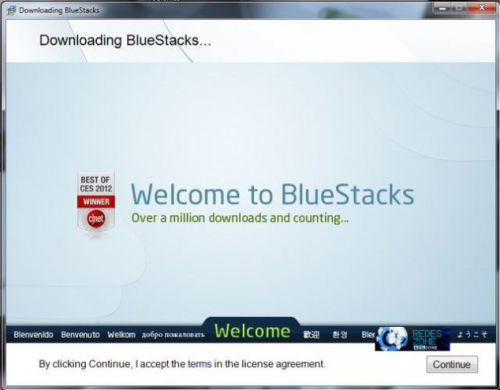
The next window will ask us what kind of applications you want to install and give it to continue without doing anything more than that, continue installing.
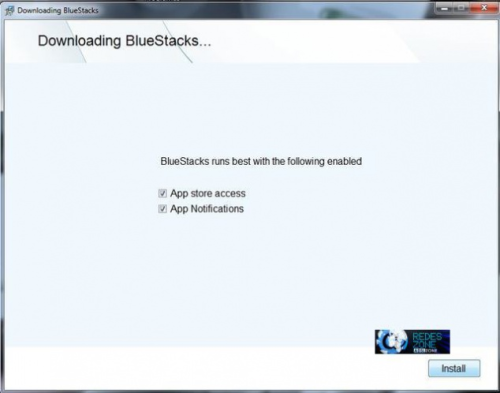
The installation will take approximately 3 minutes depending on the computer.
Once you installed it will ask the user name Google client player and our password.
Then in the top left we can see a magnifying glass appears with an orange background where we can find any game Android, in this case we seek Clash of Clans.
Install it as an application and once installed open it by clicking on it.
By opening we see how the game starts at 0 but in the upper left portion we have an icon that asks us if we have another account. We click on it and see that redirects to our village and …TO PLAY!!!.
We can handle everything from our mouse and we can click on objects in the village,stores, gatherer,… To zoom indicates we can use the arrow up and down and we can write in chat from your keyboard and not leaving the view from our mobile heh heh heh heh.
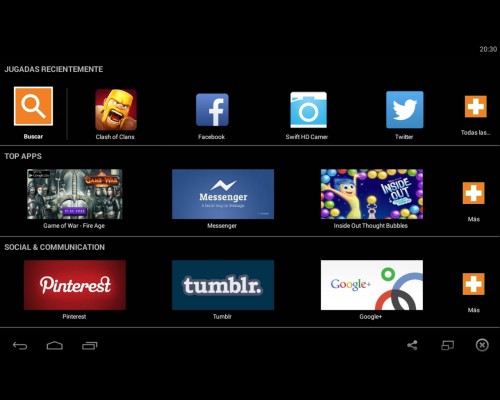
We watched on lower lashes if not resemble that are the same as those of the tablet with android system, where it is very easy to handle and guided.
Occasionally, android and advertising will make you go down some other application to let you use the BlueStacks , select download and despreocuparos, but you never repay this software.
It really is a joy to see your village on the screen of your computer and if you have connected to the TV in your home you do not say anything… but a keyboard and a wireless mouse would be perfect lol… I know you want from birthday.
At first you will seem strange attack and lead the troops, but like everything is used. Those above have already played games from the computer is not going to cost you adapt, but many battles touching the screen lol.
Okay, disfuteis hope as much as I with this program and be aware of the tricks that will be coming along this week.
Soon gamers!!!.